

История покупок: сканер чеков
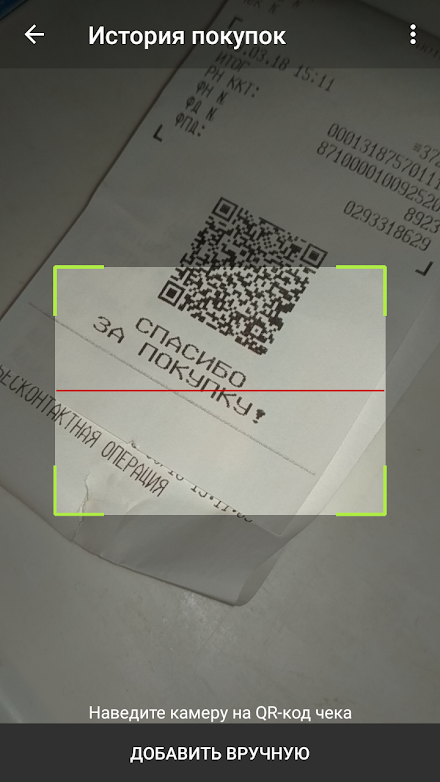
The contents of the receipt will be requested from the Federal Tax Service and saved in your personal shopping list.Is the QR code on the check damaged and unreadable?
No problem!
The check can be obtained from the Federal Tax Service manually using the details.Lost your receipt before you scan the QR code?
You can create a purchase manually.Build expense reports with details by category, store and individual product.Analyze the dynamics of prices for previously purchased goods.Combine similar products into groups.Plan your budget for the most important categories.It is possible to import checks from the official Federal Tax Service application and export to CSV, as well as to third-party applications in JSON format.
About История покупок: сканер чеков
- Package name (App ID)
- matrix.rparse
- Available on
- Google Play
- Price
- Free
- Developer
- Denis Zakharov
Looking for the История покупок: сканер чеков APK?
The safest way to get История покупок: сканер чеков (matrix.rparse) on your Android device is to install it directly from Google Play — you'll always get the latest official version, automatic updates, and no risk of modified or infected APK files from third-party sites.

Camera Features
Advanced camera features with editing capabilities.
Productivity Tools
Boost your productivity with powerful tools and features.
Financial Tools
Manage your finances and track your expenses easily.
See История покупок: сканер чеков in Action


Frequently Asked Questions
Is История покупок: сканер чеков free?
Yes, История покупок: сканер чеков is free to download and install on Android through Google Play.
How do I install История покупок: сканер чеков on Android?
Open Google Play on your Android phone or tablet, search for История покупок: сканер чеков by Denis Zakharov or tap the Google Play button on this page, then tap Install. The app downloads and installs automatically.
What is matrix.rparse?
matrix.rparse is the App ID (package name) of История покупок: сканер чеков on Google Play. Every Android app has a unique package name, and it is the safest way to verify you are installing the official app.
Is История покупок: сканер чеков safe to download?
Installing История покупок: сканер чеков from Google Play is the safest option: you get the official version published by Denis Zakharov, verified by Google Play Protect, with automatic updates. Avoid APK files from unofficial third-party sites.

Get История покупок: сканер чеков Today
История покупок: сканер чеков for Android — free download on Google Play.
Compatible with Android phones and tablets — available on Google Play.
Ask AI about this app
Get instant answers about features, tips and more from popular AI assistants.